
 Mia Hartley
Type a word, pick a style, download a PNG. That is the whole thing, and it takes about ten seconds.
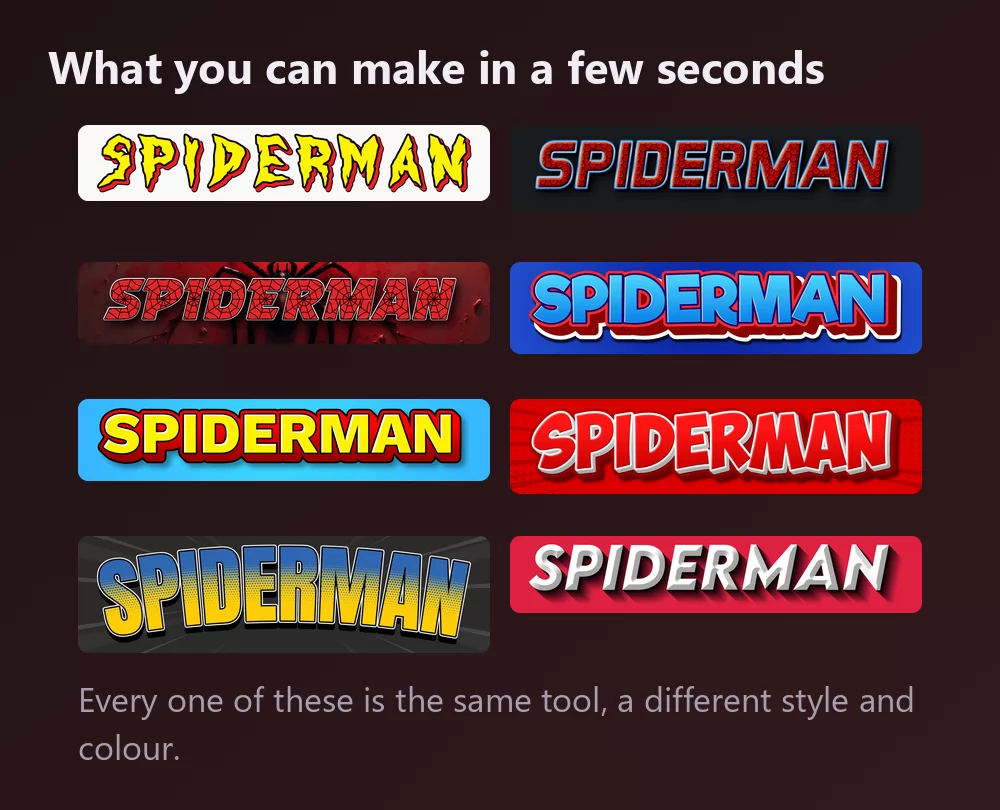
All of them come from the same Spiderman font generator, with a different style picked from the list. Nothing to install, no account.
How to make Spider-Man text
Step 1. Type the word
Open the generator and replace the sample text with yours: a name, a party title, a channel name, a video title. The letters redraw as you type.
Step 2. Pick a style
The classic is the jagged yellow lettering with a heavy red outline, straight off the comic covers. The Styles tab lets you change the fill, the outline and the shadow separately, so you can keep the letterforms and take the colours somewhere else.
Step 3. Pick the shape
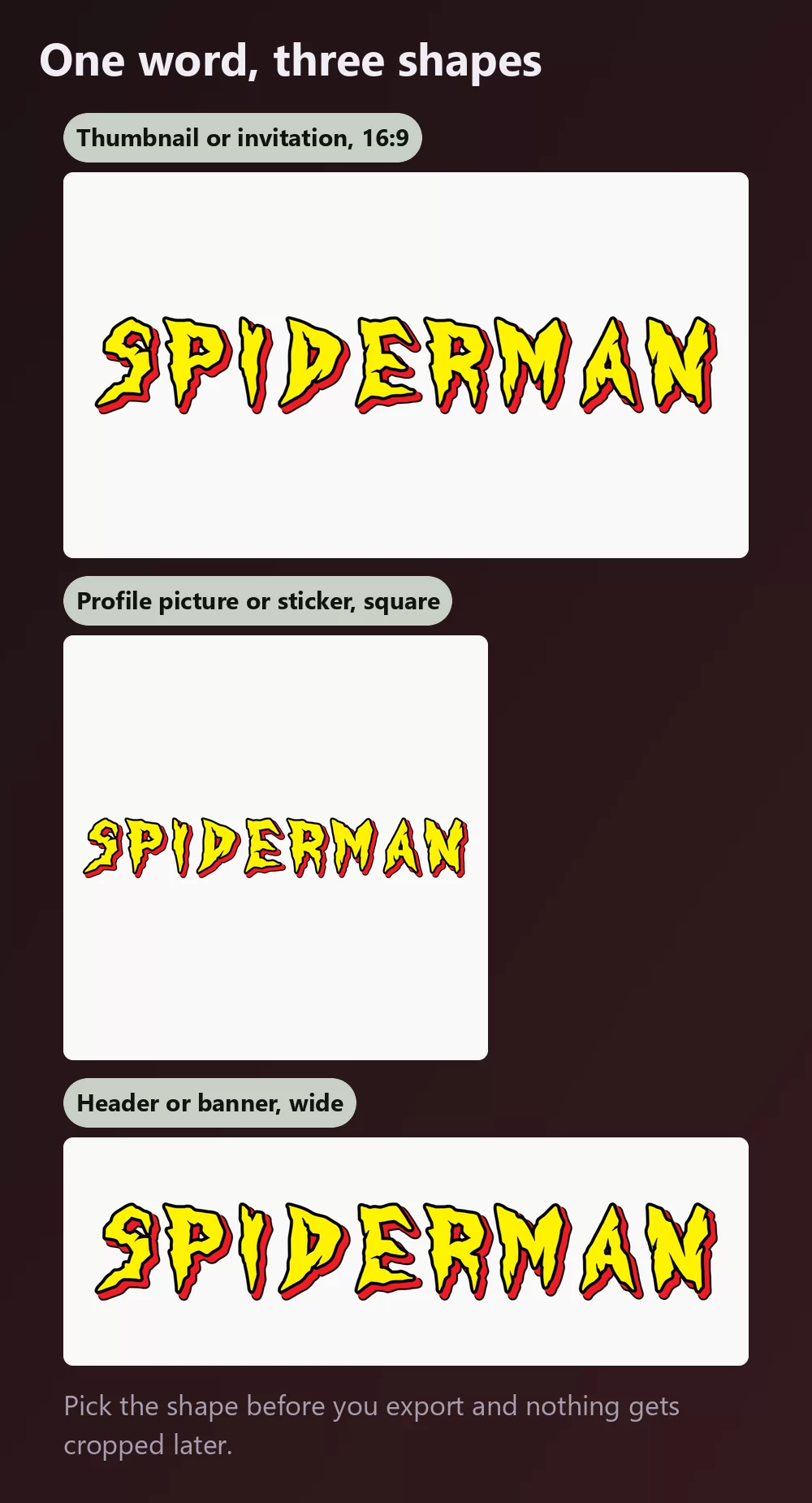
Set the shape before you export and nothing gets cropped afterwards. A 16:9 for a video thumbnail or an invitation, a square for a profile picture or a sticker, a wide strip for a channel header.
Step 4. Download
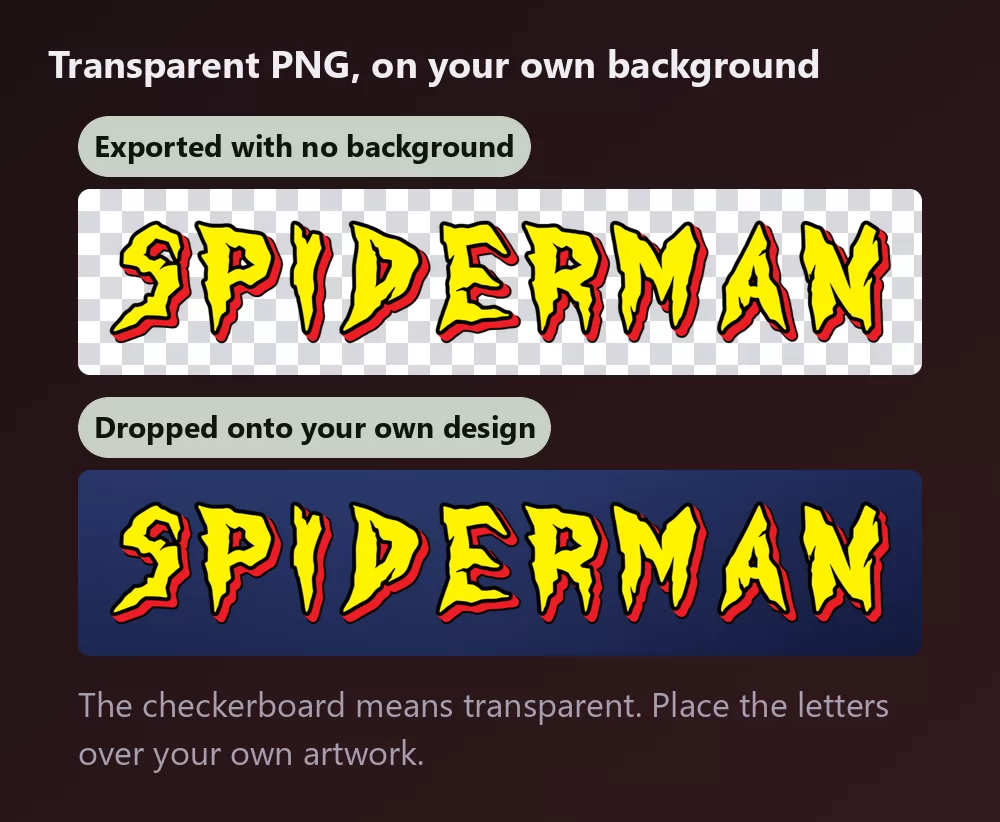
In the Download tab, take the transparent PNG if you plan to put the letters onto your own artwork. This is the option most people miss, and it is the one that matters: your own background, the title on top, no white box around it.
Long names fill the width fast
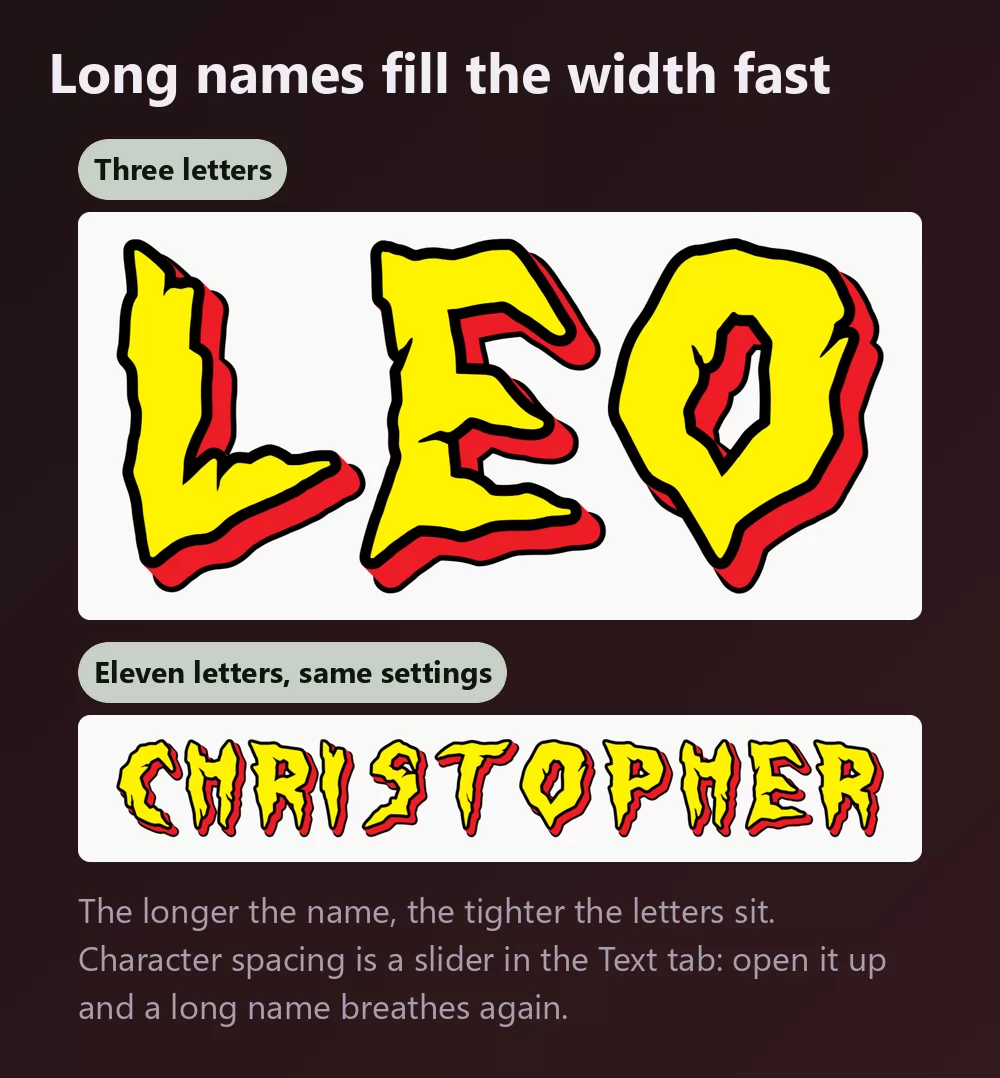
The more letters there are, the tighter they sit. Character spacing is a slider in the Text tab: open it up a little and a long name stops looking cramped. The same tab holds zoom, line height, curve and rotation.
The comic look, or the film look
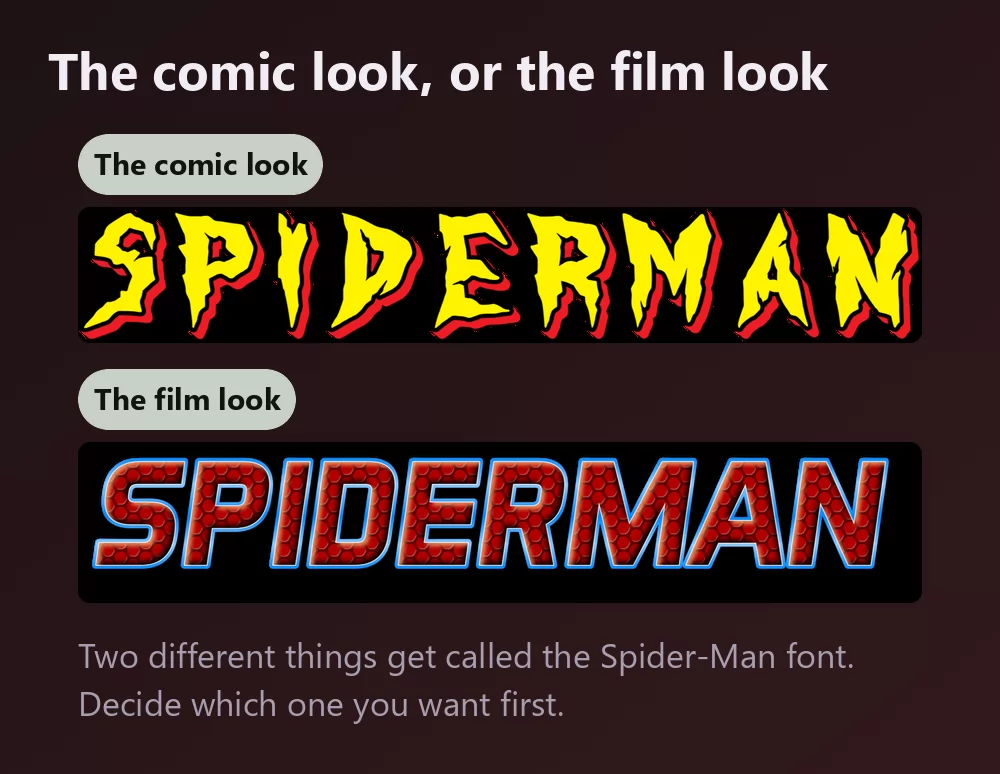
Two different things get called the Spider-Man font, and it is worth knowing which one you are after.
The comic look is the jagged yellow lettering with the thick red outline, the one on decades of covers. It is what most people picture, and it is what the generator above gives you.
The film look is smoother and darker: the letters carry the red webbing texture with a blue edge, closer to the modern posters than to the comics.
The webbing is the part worth understanding, because it is not something a font gives you. It is a texture laid over the letters. Install any lookalike you like and you still will not get it: that comes from an effect on top, which is exactly what a generator does in one step.
Which font, if you want to install one
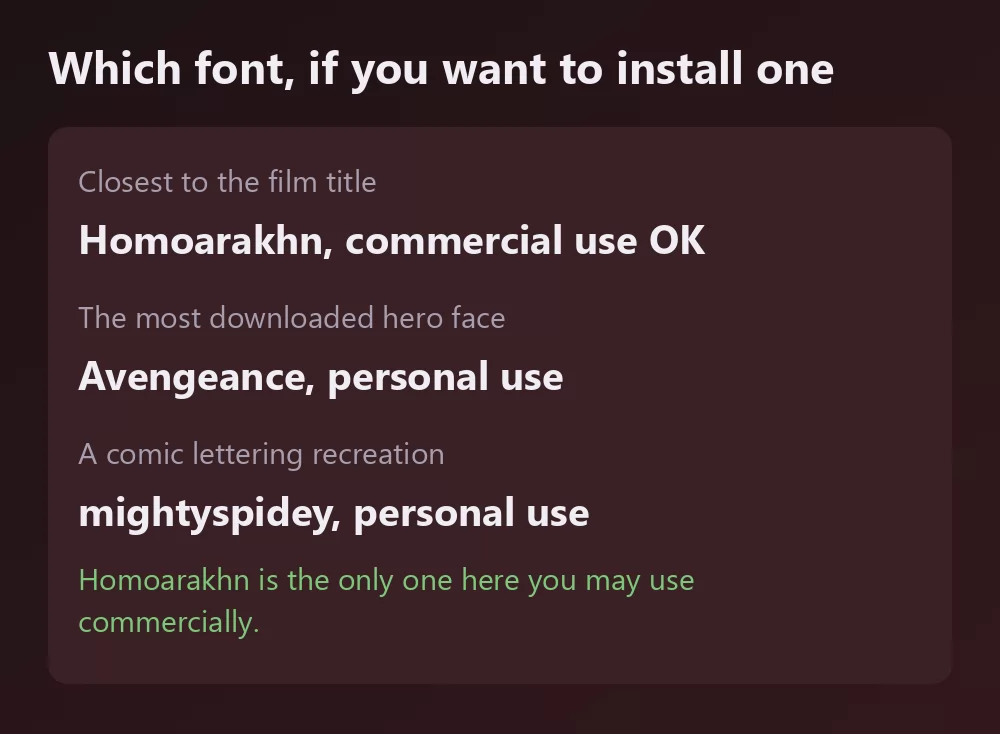
None of them is official. Marvel has never released the lettering as a typeface, so everything you can download is a fan recreation, and the licences vary a lot more than the download pages admit.
Homoarakhn, by hmeneses, is the one worth knowing. It is the closest thing to the film title lettering, and 1001fonts lists it as free for commercial use. That is unusual in this category and it is the single most useful fact on this page: almost every other superhero lookalike is personal use only.
Avengeance, by the Fontry, is the most downloaded of the bunch, with about 899 900 downloads on FontSpace, and it is listed there as personal use. It is a broad superhero face rather than a Spider-Man one specifically, which is part of why it travels so far.
mightyspidey, by JoannaVu, around 198 200 downloads, recreates the comic lettering more directly. Also personal use.
A few more turn up on the same lists: Speedy and Comback home by GraphicSauce, Spider Cave by TaralArt, all personal use, and Spiderman by Web Dog, listed as 100 % free. Read what comes with the download before any paid work, because these listings do not always agree with each other.
How to make Spider-Man text in Canva
Canva has no Spider-Man font in its library, and installing one is not possible on the free plan. Make the lettering as a transparent PNG and upload it: it drops straight into a Canva design and stays sharp.
If you work in Canva often, you can also use TextStudio effects inside Canva and skip the upload.
How to make Spider-Man text in Photoshop
Install a recreation, type your text, then rebuild the treatment with layer styles:
- Colour overlay in the bright yellow.
- Stroke, set to Outside, in a strong red, thick.
- Drop shadow, tight and dark.
- For the film look instead, a pattern overlay with a web texture, clipped to the text, plus a thin blue stroke.
The webbing is the step that takes the time. A web pattern has to follow the letters rather than sit behind them, which means clipping the texture layer to the text and nudging it until the strands land where the eye expects.
How to make Spider-Man text in Word
Install the font, type your text, and use the text effects for the outline and the shadow. Word cannot fill text with a texture, so the webbing is out of reach there. For anything you will print or publish, an exported PNG will look better.
On your phone
You cannot install a font and use it in most apps, on iOS or Android. The generator runs in the phone browser: make the PNG on the phone, save it to the gallery, and add it in whatever app you were using.
Is the Spider-Man font free?
The lettering itself was drawn for Marvel and has never been released as a font, so the honest answer is about the recreations. Among those, Homoarakhn is the one with a commercial licence. The rest are personal use or unclear, so read the file that comes with the download.
And there is a second question underneath, which gets conflated with the first constantly: a font licence is not a trademark licence. Even a font you may use commercially says nothing about Spider-Man, which belongs to Marvel and Disney. Setting a friend's name in the style for a birthday banner is the sort of personal use nobody has ever objected to. Selling merchandise that trades on the character is a different matter, and no font licence will cover you there.
Open TextStudio and type a word to see it in the style straight away.
Frequently asked questions
What font is the Spider-Man logo? Hand-drawn lettering rather than a released typeface. Everything downloadable is a fan recreation.
What free font looks most like Spider-Man? Homoarakhn for the film title, mightyspidey for the comic lettering. Only Homoarakhn is listed as free for commercial use.
Is there a Spider-Man font free for commercial use? Homoarakhn, listed as free for commercial use on 1001fonts. Check the file that ships with it before a paid job.
How do I get the web texture on the letters? Not with a font. It is a texture laid over the letters, so either use a generator style that includes it, or clip a web pattern to your text in Photoshop.
How do I get a transparent background? Choose the transparent PNG in the Download tab, then place the letters over your own artwork.
Can I use the Spider-Man style on things I sell? The font licence and the trademark are separate questions. Spider-Man belongs to Marvel and Disney, so even a permissive font licence would not cover merchandise trading on the character.
Why does my text look nothing like the poster? Most likely the webbing and the outline, not the letterforms. Those two do more work than the font choice.