
 Mia Hartley
Have you ever wanted to send a secret message that no one else could see — not even if they were looking right at it?
With our new Hide Text in Image tool, you can embed hidden text directly into the pixels of any image. The image looks completely normal to everyone else, but it secretly carries your message inside.
No software to install, no sign-up required, and everything happens right in your browser.
What Is Steganography?
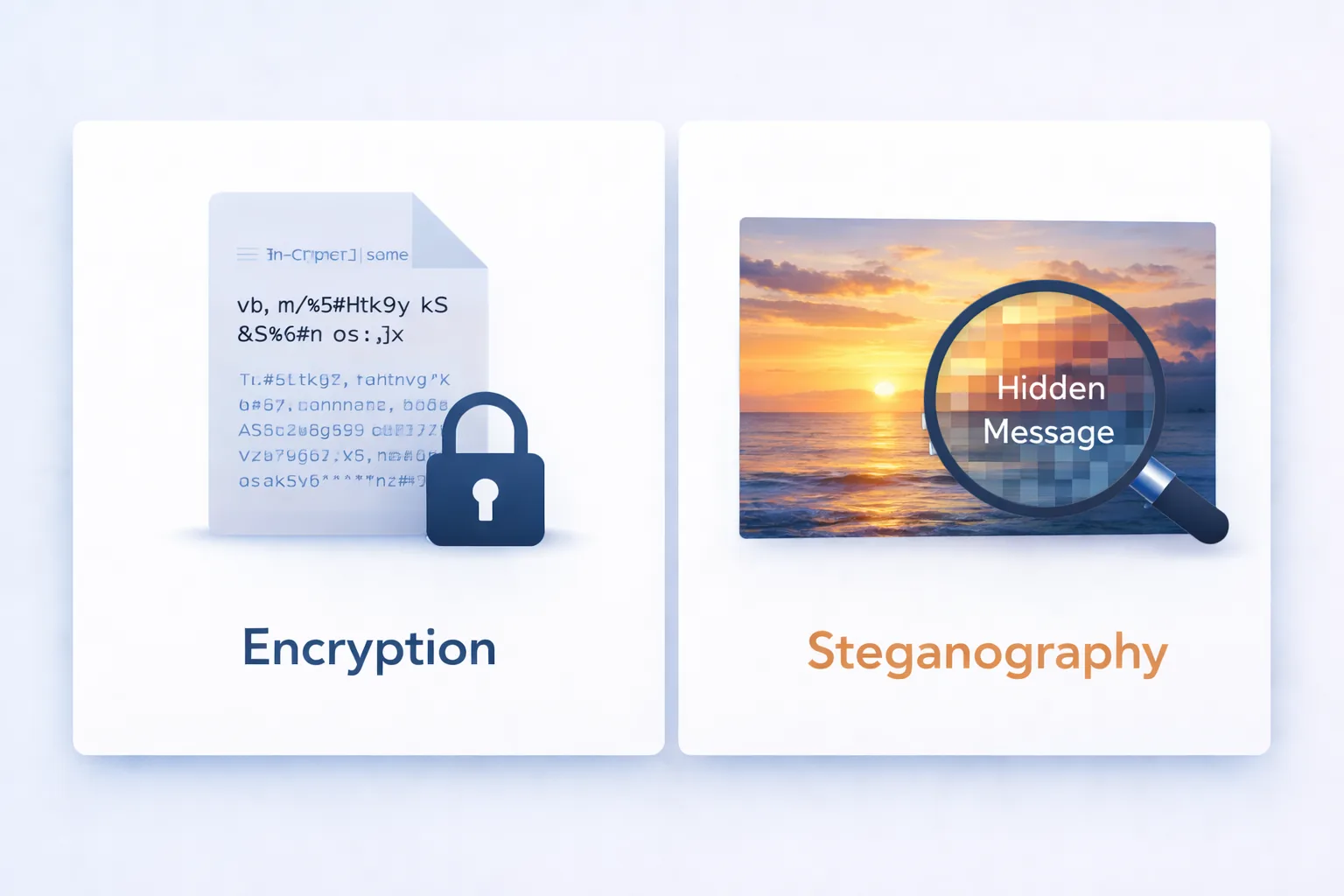
Steganography is the art of hiding information in plain sight. The word comes from Greek: steganos (covered) + graphein (writing) — literally "covered writing."
Unlike encryption, which scrambles a message so it becomes unreadable, steganography makes the message invisible. The carrier (in our case, an image) looks perfectly normal. Nobody even suspects there's a hidden message inside.
This technique has been used throughout history — from ancient Greeks tattooing messages on shaved heads, to spies hiding information in microdots during the Cold War. Today, it's done digitally with images, audio files, and even videos.
How Does It Work? (The Simple Explanation)
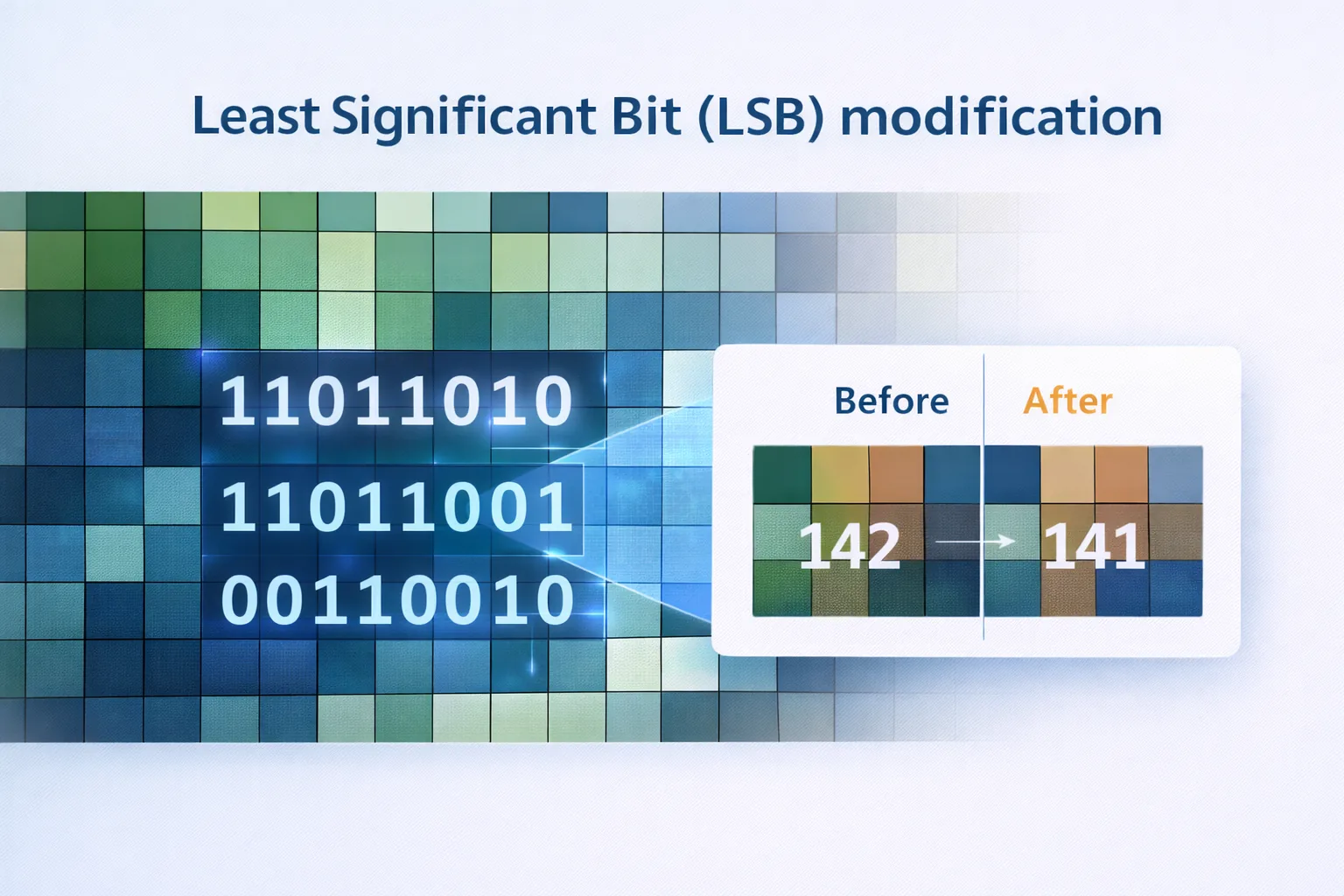
Every digital image is made of tiny dots called pixels. Each pixel has a color defined by three values: Red, Green, and Blue (RGB). Each of these values is a number between 0 and 255.
Here's the clever part: if you change a color value by just 1 — say from 142 to 141 — the difference is physically impossible to see with the human eye. But that tiny change can store one bit of information (a 0 or a 1).
By making these invisible changes across thousands of pixels, you can store an entire text message inside an image.
Example:
| Pixel | Original RGB | Modified RGB | Visible Difference? |
|---|---|---|---|
| #1 | (142, 87, 203) | (142, 86, 203) | No |
| #2 | (55, 191, 12) | (54, 191, 13) | No |
| #3 | (200, 100, 50) | (201, 100, 50) | No |
This technique is called LSB (Least Significant Bit) steganography — because we only touch the least important bit of each color channel.
How to Use the Tool
Hiding a Message (Encode)
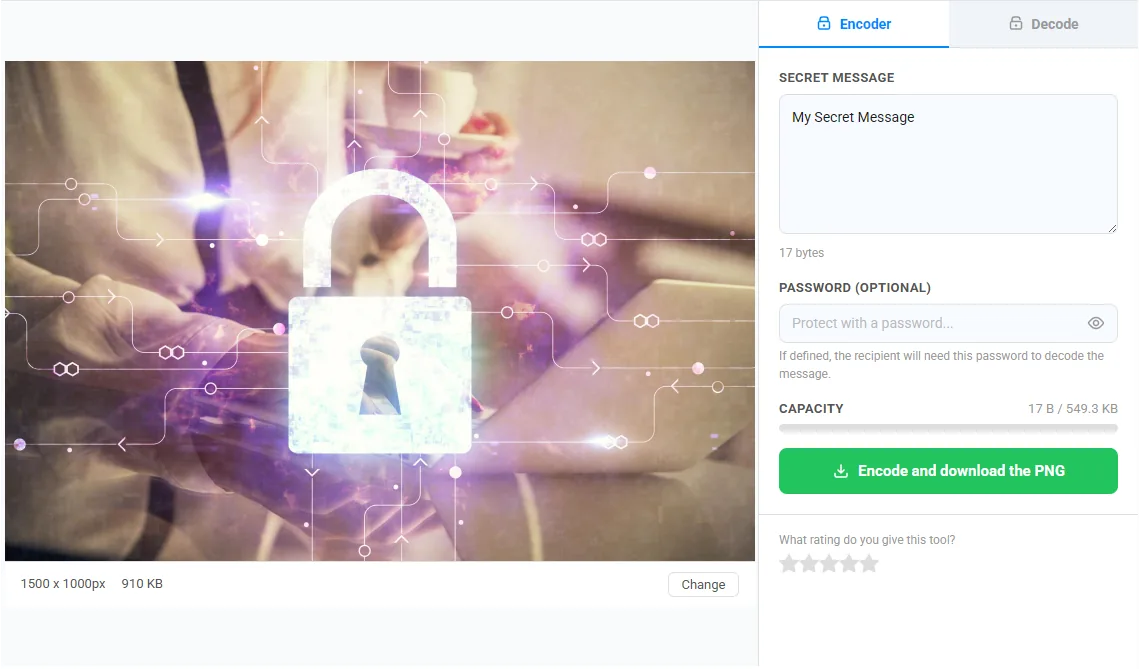
- Open the tool → Hide Text in Image
- Upload any image — drag and drop or click to browse (PNG, JPG, or BMP)
- Type your secret message in the text area
- Optionally set a password — this encrypts the message with AES-256 before hiding it
- Click "Encode & Download PNG" — your image downloads with the message hidden inside
Revealing a Message (Decode)
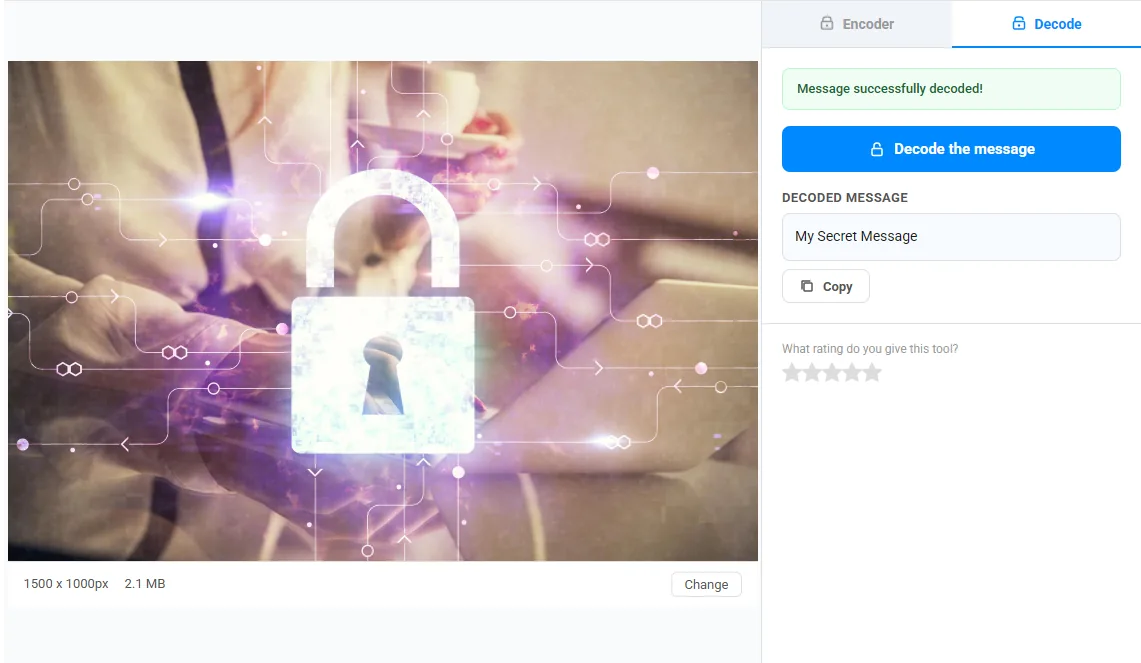
- Upload the image that contains a hidden message
- Switch to the Decode tab
- Enter the password if one was used
- Click "Decode Message" — the hidden text appears instantly
Can You Spot the Difference?
Here's a fun challenge. Below are two versions of the same image — one is the original, and the other contains a 500-word hidden message. Can you tell which is which?
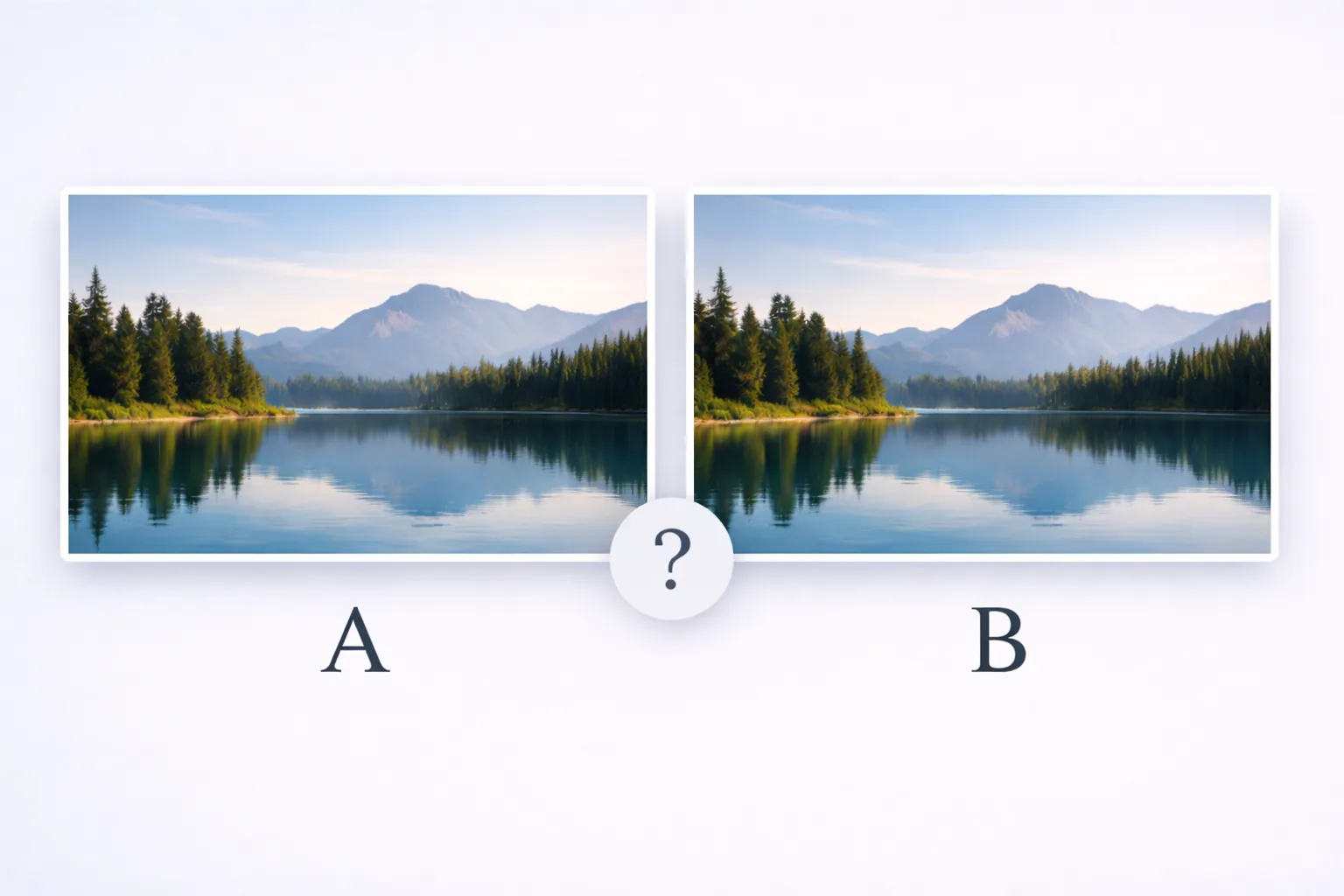
The answer: you can't. That's the whole point. Each pixel changes by at most 1 out of 256 — a difference of 0.4%. Your eyes would need to be about 600 times more sensitive to notice it.
Password Protection: An Extra Layer of Security
Hiding a message inside an image is already quite sneaky, but what if someone knows about steganography and tries to extract data from your image?
That's where password protection comes in. When you set a password:
- Your message is first encrypted with AES-256-GCM — the same encryption standard used by banks and governments
- The encryption key is derived from your password using PBKDF2 with 100,000 iterations — making brute-force attacks extremely slow
- Only then is the encrypted data hidden in the image pixels
Without the correct password, even if someone extracts the hidden data, they'll only get meaningless encrypted bytes. It's steganography + encryption — a double layer of protection.
How Much Text Can You Hide?
It depends on the image size. Here's a quick reference:
| Image Size | Approximate Capacity |
|---|---|
| 500 × 500 | ~93 KB (~93,000 characters) |
| 1000 × 1000 | ~375 KB (~375,000 characters) |
| 1920 × 1080 | ~777 KB (a full novel!) |
| 4000 × 3000 | ~4.5 MB |
A typical smartphone photo can easily hold an entire book. The tool shows a real-time capacity bar so you always know how much space is available.
Real-World Use Cases
- Private communication — Send messages that look like ordinary photos
- Digital watermarking — Hide copyright information or ownership proof in your images
- Journalism — Safely carry sensitive information across borders
- Puzzles & games — Create scavenger hunts with hidden clues in images
- Education — Learn about information security and data encoding
- Fun — Surprise friends with secret messages in memes
100% Private — Nothing Leaves Your Browser
This is important: no data is ever sent to any server. The entire process — reading the image, encoding the message, encrypting with your password, and generating the output — happens locally in your browser using the Canvas API and Web Crypto API.
We never see your images. We never see your messages. We never see your passwords. It's technically impossible because the data never leaves your device.
Try It Now
Ready to hide your first secret message? Head over to our free tool and give it a try:
Hide Text in Image — Free Online Steganography Tool
No sign-up. No limits. No watermarks. Works on desktop and mobile.
Have questions about steganography or ideas for new tools? Drop a comment below orreach out to us. We'd love to hear from you!