
 Mia Hartley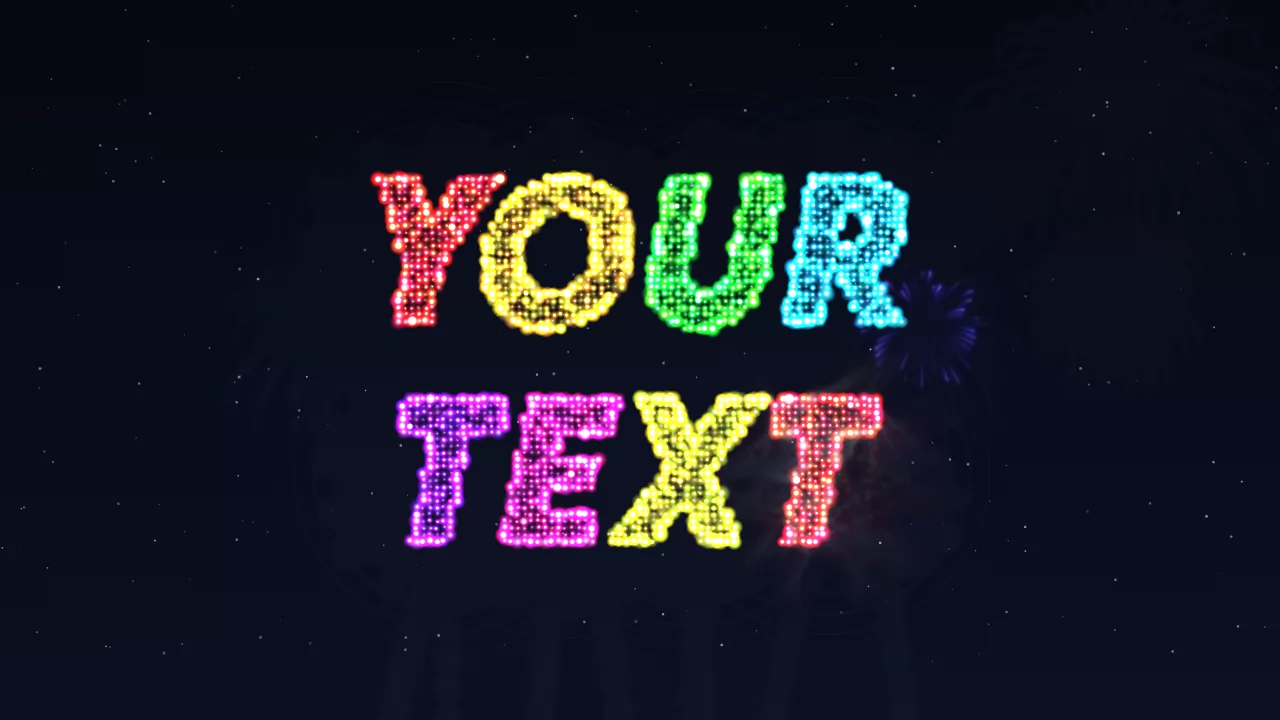
Search for fireworks text and you get three completely different things wearing the same name. One of them lives inside a phone conversation and vanishes. One of them is a still picture of letters that happen to look sparkly. And one of them is the thing most people actually pictured: a name that gets fired into a dark sky, one letter at a time, and explodes into light.
This is the third one.
The three things people call fireworks text
Before you spend twenty minutes in the wrong tool, work out which one you are after. They are not variations on a theme: they are three unrelated products.
| What you want | What it really is | What you walk away with |
|---|---|---|
| Fireworks going off inside a message | An iPhone screen effect | Nothing you can keep |
| Letters that look like fireworks | A font or a static text effect | A PNG image |
| A name written in the sky, animated | A fireworks text generator | A GIF, a video or PNG frames |
If you meant the effect inside a text message
On an iPhone, send the words "Happy New Year!" in iMessage and fireworks go off across the whole screen on their own. You can also trigger it deliberately: type your message, press and hold the blue send arrow, choose Screen at the top, swipe across to the fireworks, then send.
Two catches, and they are the reason most people keep searching. It only works between Apple devices on iMessage, the blue bubbles, so half your contacts see a plain sentence. And the animation belongs to that conversation. You cannot save it, post it to a story, put it at the front of a video or show it on a screen at midnight. It plays once and it is gone.
If you meant a fireworks font
Sometimes all you need is a picture: letters styled with sparks and glow, ready to drop into a poster or a thumbnail. That is a static text effect, and the firework font effect does it in a few seconds. Type, download, done.
It will not move. If the whole point is that the letters arrive one by one, keep reading.
If you meant the real thing
Fireworks that write. A rocket climbs, detonates, thousands of sparks fly outward and pull together into the shape of a letter, which keeps burning while the next rocket goes up. When the message is complete it holds, then falls back to earth in a shower of embers.
That is what the fireworks text generator does, in your browser, with nothing to install and no account to create.
Writing your name in fireworks, step by step
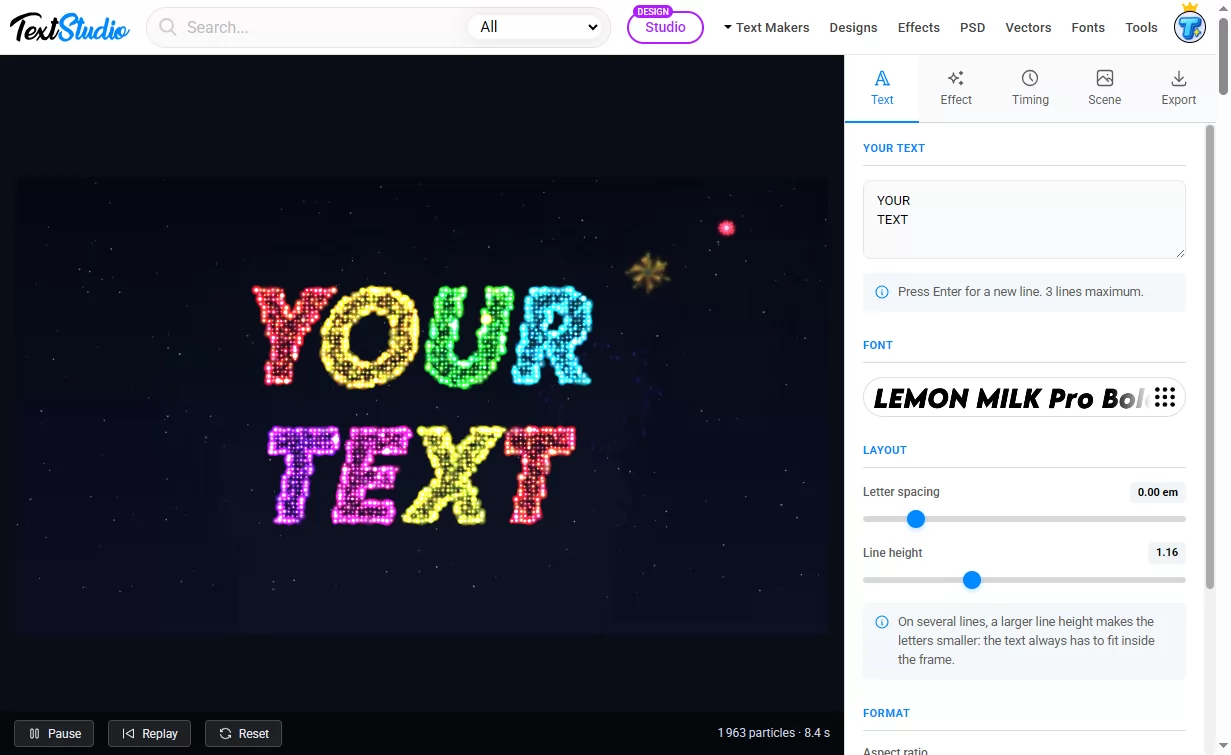
- Type the words. A first name, a year, a two-word greeting. Press Enter to break the message over two or three lines.
- Pick the font. The whole TextStudio font library is available, and you can upload a font file of your own if a brand depends on it.
- Choose the effect. Fireworks for one explosion per letter, sparkler for letters drawn by a single traveling flame.
- Set the colors. Ready-made palettes for New Year, weddings or national holidays, or your own hues if you are matching a brand.
- Choose the rhythm. Letter by letter reads best on a short name, word by word or line by line keeps a longer message from dragging.
- Pick the shape. 16:9 for a screen or a video intro, 1:1 for a feed, 9:16 to fill a phone.
- Download. A GIF to send, a video for quality, or transparent frames to composite yourself.
The one thing you never have to do is fight with a size slider. The layout is measured from the real shape of your letters and scaled so the message fits the frame with its explosions included, which matters more than it sounds: a burst is several times wider than the letter it draws. Change the format and everything recomposes on its own. If a line grows too long, it is split in two rather than shrunk until the sparks stop reading as letters.
Two ways to write with light
The same text, the same fonts, the same exports. Only the way the letters appear changes, and it changes the mood completely.
Fireworks is the loud one. Each letter arrives as a rocket and detonates, and you control how wide the explosion spreads, how dense and bright the sparks are, how long the trails linger, whether a shockwave ring and a flash go off with each burst, and how fast it all falls once the message has been read. It is instantly legible as fireworks, which is exactly what you want on a New Year post.
Sparkler is the intimate one. A single burning point runs along each letter and draws it in one continuous movement, trailing light and throwing sparks, exactly like writing your name in the dark with a sparkler in your hand. The wire is there before it lights, and it burns away as the flame passes.
Which one to use is mostly a question of typeface. Sparkler tracing follows the center line of each stroke, which is why it sings with a script or a light font and struggles with a heavy one: a very bold letter has no single line to follow. There is an outline mode for those, which runs the flame around the edge instead and gives a glowing halo, and an automatic mode that picks for you from the weight of your font and warns you when a face is simply too heavy to be handwritten.
GIF, video or transparent frames
This is where most people lose an hour, so here it is plainly. The three formats are not better and worse versions of each other: they fail in different places.
| Where it is going | Export | Why |
|---|---|---|
| WhatsApp, Messenger, a group chat | GIF | Plays by itself everywhere, no player needed |
| Instagram story, reel, TikTok | MP4, 9:16 | Sharp sparks, small file, fills the screen |
| YouTube intro, a screen at a party | MP4, 16:9 | Best quality, holds up when projected |
| Dropped into your own edit | APNG or a ZIP of PNG frames | The only formats that keep a real transparent background |
| A poster, a thumbnail, a print | PNG | One still frame, pause wherever you like |
The trade-off worth understanding: a GIF is limited to 256 colors, and fireworks are thousands of tiny dots of light fading through a gradient. On a dark sky it holds up well. On a smooth colored background you get visible banding. Video has no such limit and weighs far less, but it cannot store partial transparency, so a video export always lands on a solid background. If you need sparks over your own footage, it is APNG or PNG frames, nothing else.
The animated GIF and the still PNG are free. Video, high definition up to 2560 px, transparency and frame sequences come with Premium, which also removes the watermark.
Put the fireworks over your own photo
Load a picture as the background and the display goes off above it: a skyline, a venue, a church, a stadium, a family photo. There is a darkening control, and you will need it, because fireworks only read against a dark sky. Your picture is processed on your own device and never uploaded.
This is the version people actually screenshot and share. A generic night sky is nice. Your own town with your own name burning over it is a different thing entirely.
Five ways fireworks text goes wrong
Everything above is what the tool does. This is what tends to go wrong anyway, and all of it is avoidable.
Too many words. Three lines is the hard limit, but the real limit is lower. Fireworks are read as a shape before they are read as words. A name, a year, a two-word greeting. "Wishing you and your family a wonderful new year" is a sentence, not a firework.
A font that is too thin. Each letter is drawn by individual sparks with real spacing between them. A hairline typeface gives the sparks almost nothing to sit on and the letter reads as a smudge. Medium and bold weights carry the effect.
A background that is too light. Sparks are added light. Add light to something already bright and it disappears. If you are using your own photo, pull the darkening up until the image is clearly a night scene.
Density pushed to the maximum. It feels like more density means more spectacular. Past a point the particles merge, the counters of letters like O, A and R fill in, and the whole word saturates to a white blob. Back off until the holes in the letters are open again.
Exporting a GIF of a gradient. See the table above. Gradient background plus 256 colors equals visible bands. Either keep the background dark and plain, or export a video.
When a name in fireworks actually earns its place
New Year. The obvious one, and it works in every direction: a video on a screen at midnight, a GIF sent to family, a vertical story. Put the greeting on the first line and the year on the second and it reads at a glance.
Birthdays. A first name in fireworks is a birthday message people watch to the end instead of scrolling past. It costs you thirty seconds and it does not look like a template.
Weddings and engagements. Save-the-dates, reception openings, and the short ones that carry weight: "She said yes", "Marry me", two names and a date.
Festivals and community events. Diwali, the Fourth of July, Bastille Day, Lunar New Year, graduations, a promotion, a cup final, a parish celebration, a team announcement. Anywhere a plain caption gets scrolled past.
Streams and channels. A looping 16:9 intro, an overlay for a milestone, a subscriber celebration. The animation loops seamlessly, so it plays over and over without a visible jump.
Frequently asked questions
Does it work on a phone?
Yes. Everything runs in the browser, on a phone, a tablet or a computer, and the vertical 9:16 format is there precisely because most of this ends up on a phone screen.
Why is my GIF heavier than the video?
Because it is. GIF is an old format with no real compression for this kind of image: thousands of moving points of light are close to the worst case for it. That is the price of a file that plays by itself in any conversation. When weight matters more than convenience, export MP4.
Can I keep working on it later?
Your settings stay in your browser between visits, and you can save the whole project to a file to reopen it another day or on another machine.
Is my text or my photo sent anywhere?
No. The animation is built frame by frame on your own device. Nothing you type and no image you load leaves your machine.
Can I use it in a video I publish?
Yes, including on YouTube, Instagram and TikTok. The details are on the license page.
Is it free?
The animated GIF and the still PNG are free, with a small watermark on the GIF. Premium removes the watermark and adds video, high definition, transparency and PNG frame sequences.
Keep going
If fireworks are not the mood, there are other ways to make letters move: the text animation generator covers animated text of every kind, and on this blog we have gone through text animations you can customize online and the typewriter animation in detail. For something warmer, neon text glows without exploding, and around December the Christmas fonts do a similar job with less gunpowder.
Otherwise, go and write your name in the sky. Open the Fireworks Text Generator, type a name, and watch the first rocket go up.